Italiano
|
How can I view my Olimp game crypto wallet?
1
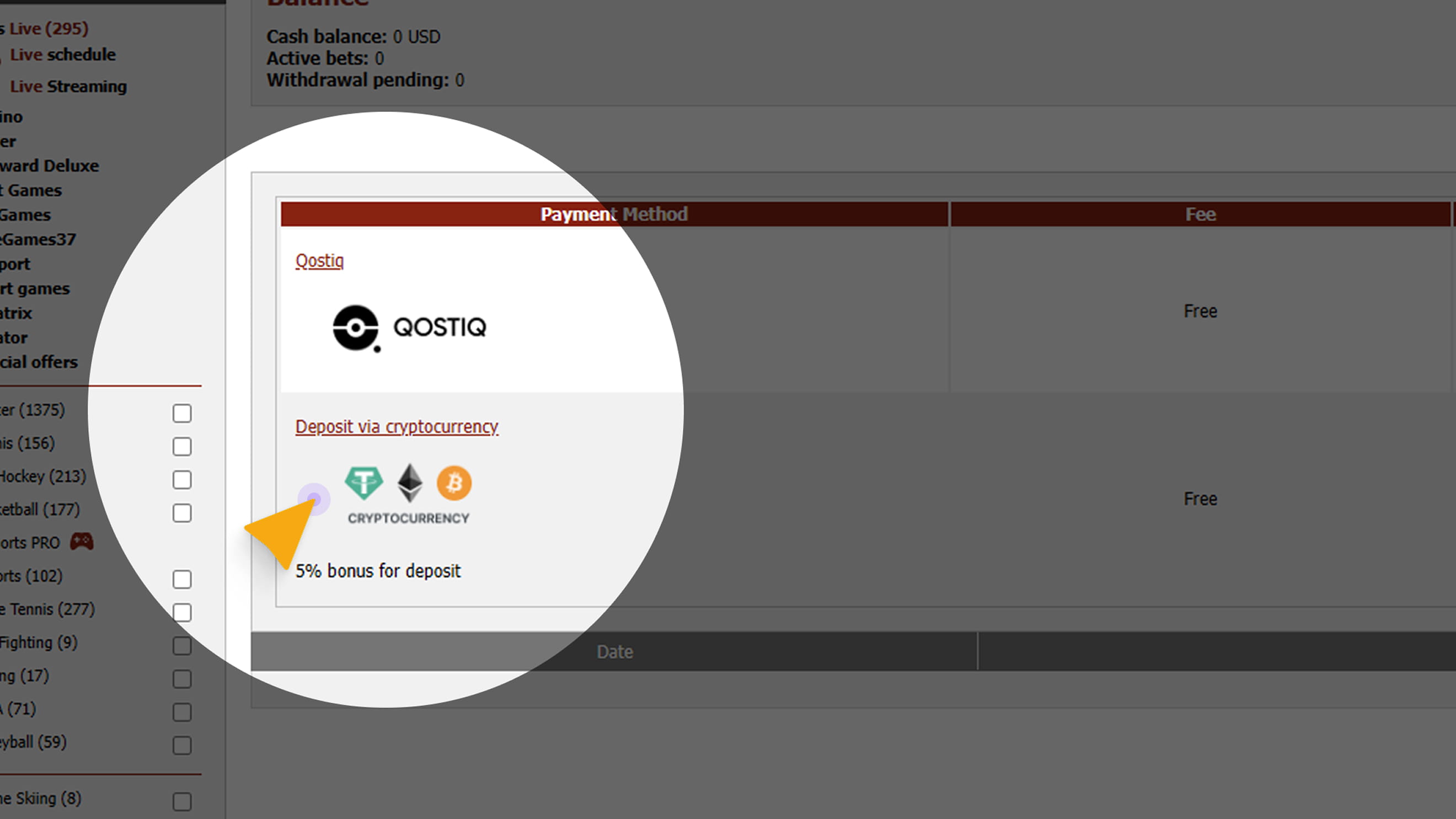
Go to Cashier → Deposit and select Cryptocurrency
2
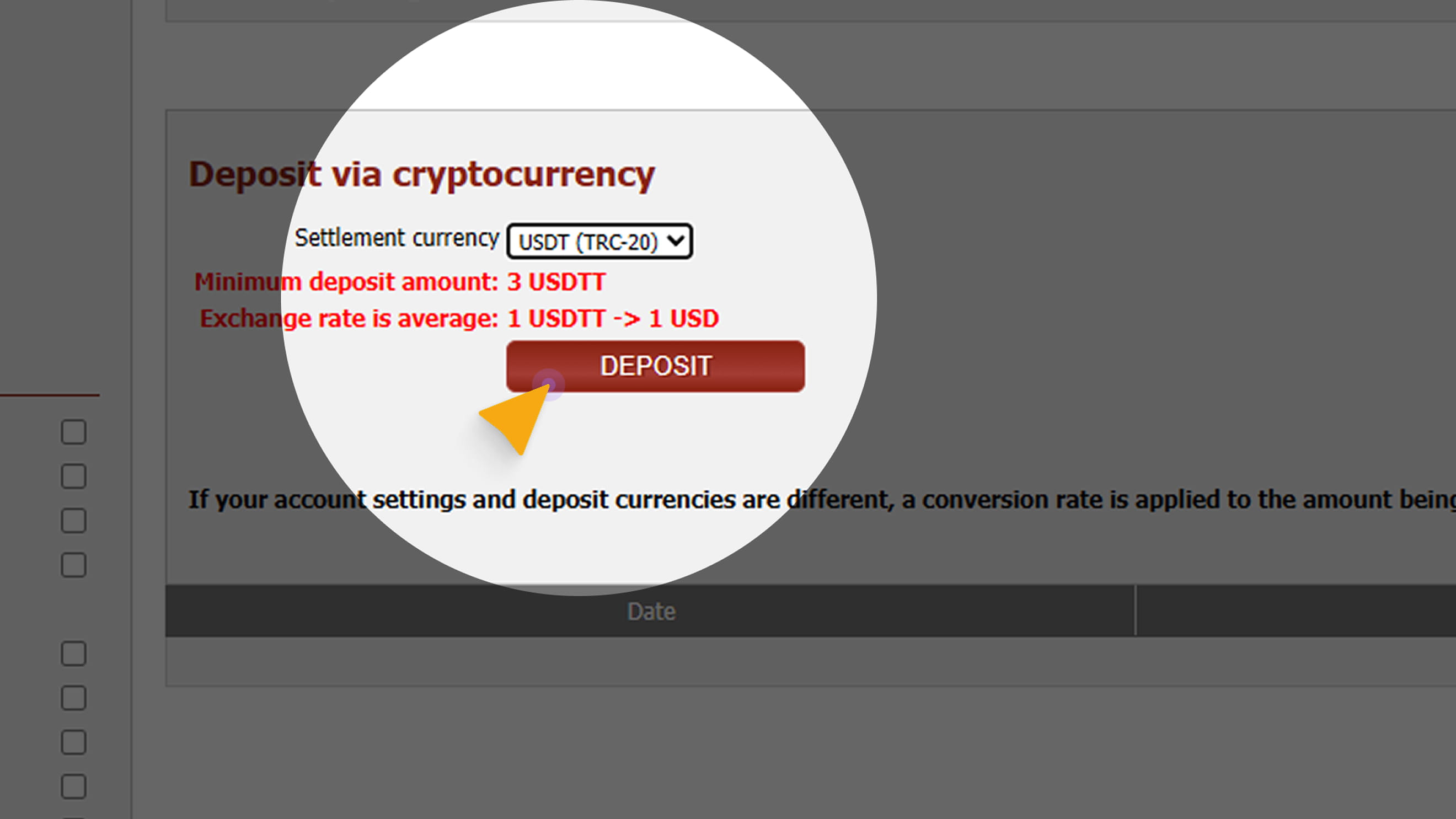
In the Payment Currency drop-down menu, choose a coin (for example, USDT TRC-20) and press Deposit.
3
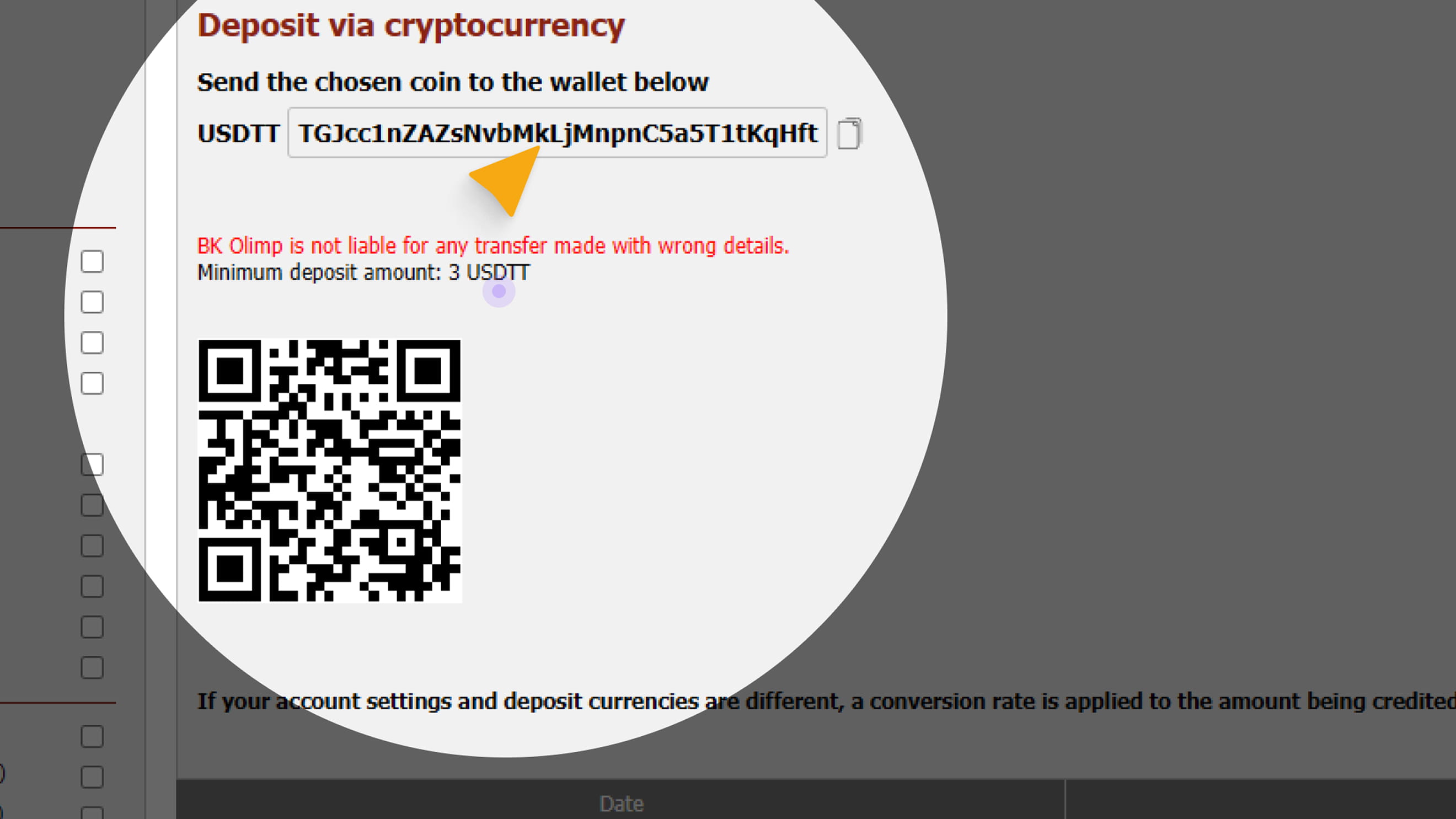
After confirmation, your personal in-game crypto wallet for the selected currency will appear on the page. You can copy the wallet address or scan the QR code. Important: Your game crypto wallet address may be updated from time to time.
Note: The wallet address shown in the screenshot is for demonstration purposes only. |